


Review: Raspberry Pi 5
This post contains affiliate links.
A Raspberry Pi 5 is a single‑board computer designed to make computing and programming accessible to everyone. It’s about the size of a credit card but functions like a real PC – it has USB ports, HDMI output, networking, and even GPIO pins for electronics projects.
It is developed in the UK by Raspberry Pi Holdings, and the devices are widely used in education, hobby electronics, robotics, home automation, and even industrial automation.
What you can use it for?
Raspberry Pi 5 common uses include:
- you can use it as you would a real PC, since an official Raspberry Pi OS functions similar to Windows or MacOS
- programming (Python, JavaScript, C, etc.)
- robotics and electronics projects via GPIO pins
- smart home systems
- retro gaming consoles
- home servers (file server, media server, VPN)
- IoT devices
Specs
Raspberry Pi 5 packs quite a punch for its size:
- Broadcom BCM2712 2.4GHz quad-core 64-bit Arm Cortex-A76 CPU
- VideoCore VII GPU
- 1GB, 2GB, 4GB, 8GB, or 16GB of RAM
- Dual 4Kp60 HDMI display output
- Wi-Fi and Gigabit Ethernet networking
- Bluetooth 5.0
- microSD card slot for the operating system
- 4x USB ports
- 2 × 4-lane MIPI camera/display port
- PCIe 2.0 interface for fast peripherals
- 40-pin header
- 5V/5A DC power via USB-C, with Power Delivery support
- 40-pin GPIO header to interact with the outside world
Physical overview
The Raspberry Pi board is about the size of a credit card (85.0 mm or 3.35, 56.0 mm or 2.20 in). Here is an overview of main components:
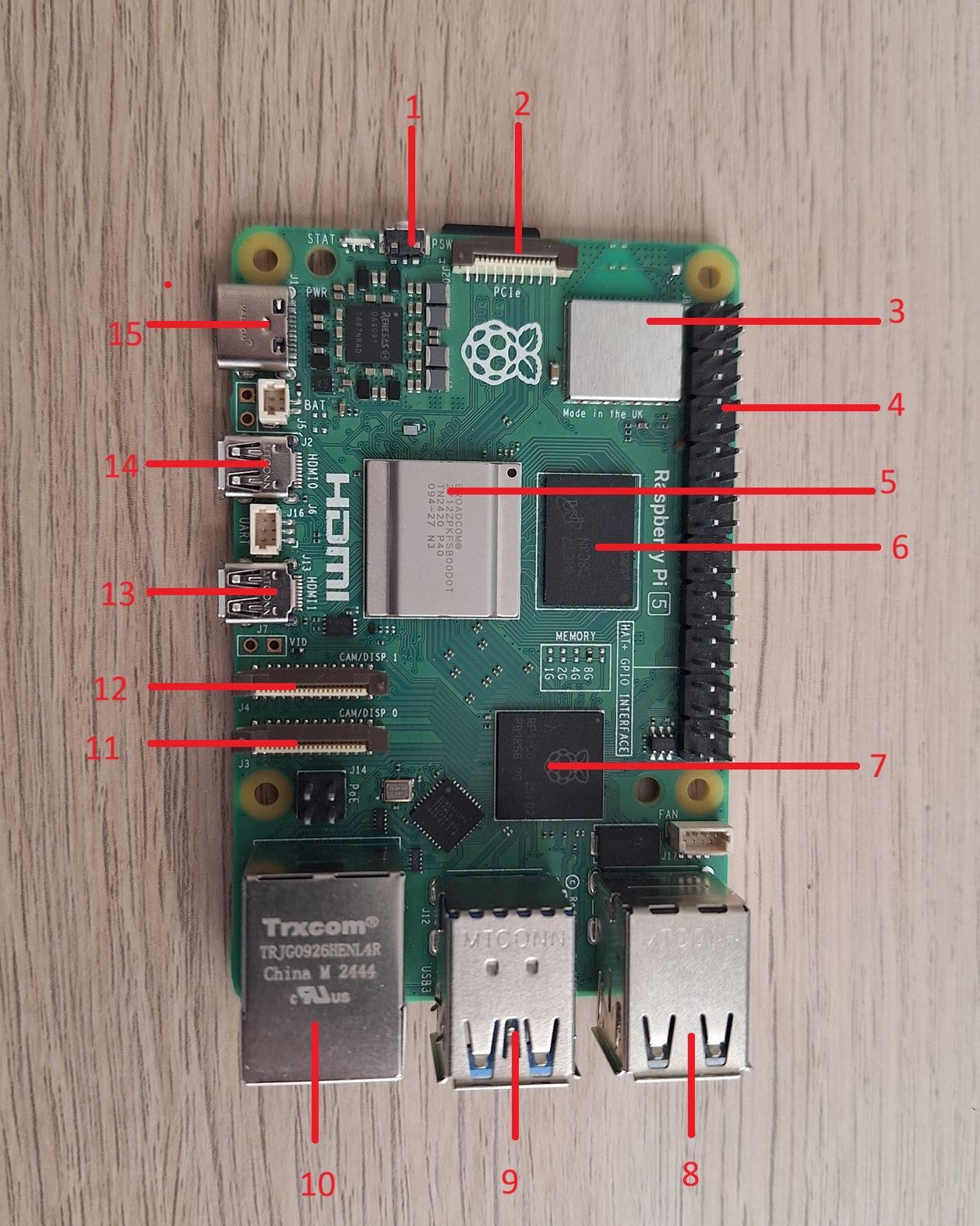
- Power button to turn the device on or off.
- PCI Express port to connect peripherals such as NVMe SSDs
- WiFi/Bluetooth module
- GPIO pins to connect electronics
- BCM2712 CPU
- RAM
- I/O controller
- 2x USB 2.0 ports
- 2x USB 3.0 ports
- Gigabit Ethernet port
- MIPI DSI/CSI connector for a camera
- second MIPI DSI/CSI connector
- micro HDMI port for a monitor
- second micro HDMI port
- USB-C charging port
Raspberry Pi 5 power supply
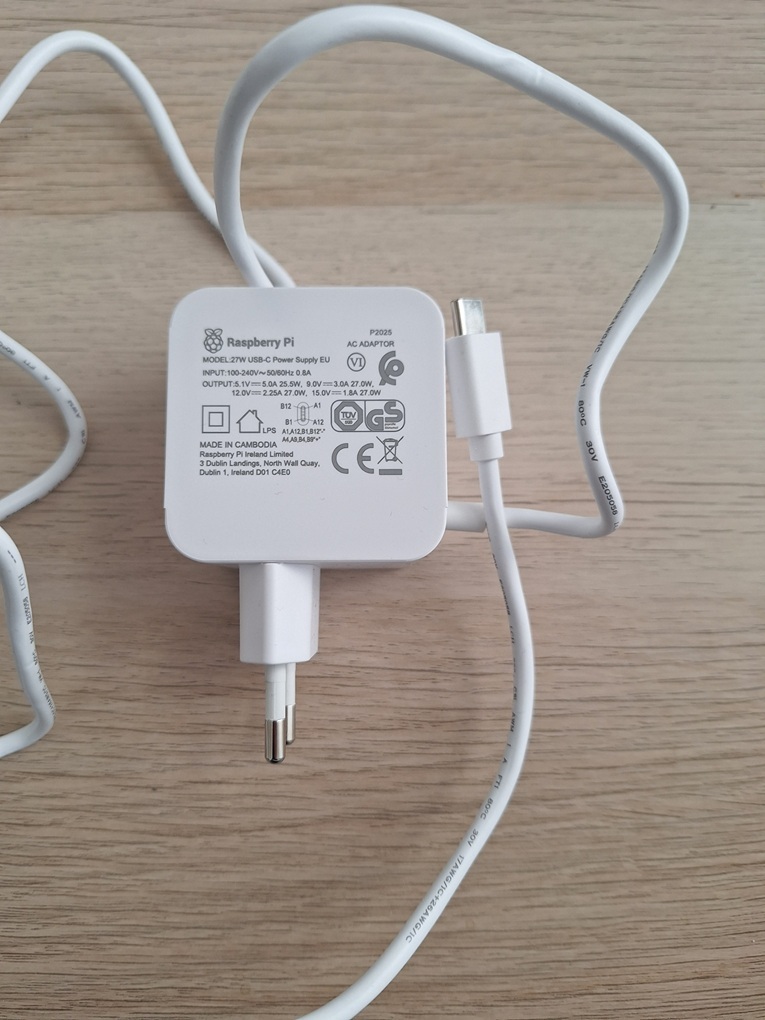
You can power your Raspberry Pi 5 with a 5V mobile phone charger with USB-C, however it is recommended to use the official Raspberry Pi 27W USB-C Power Supply. This power supply delivers 5.1V, 5A. It supports USB PD (Power Delivery) in order to increase the USB current limit automatically from the default 600mA to 1.6A, so you can provide extra power for devices connected to the four Type A USB ports.
Power supply specs:
- Input: 100- 240VAC
- Output: 5.1V, 5A; 9V, 3A; 12V, 2.25A; 15V, 1.8A (Power Delivery)
- Connector: USB-C
- Cable: 1.2m 17AWG, white or black
- Plug types: • US, Canada (type A)
• Europe (type C)
• India (type D)
• UK (type G)
• Australia, New Zealand (type I)
Raspberry Pi operating system
There is a specialized version of a Debian Linux distribution developed specifically for Raspberry Pi called Raspberry Pi OS. Like any other operating system, it has a GUI, office desktop application, a browser to surf the Internet…
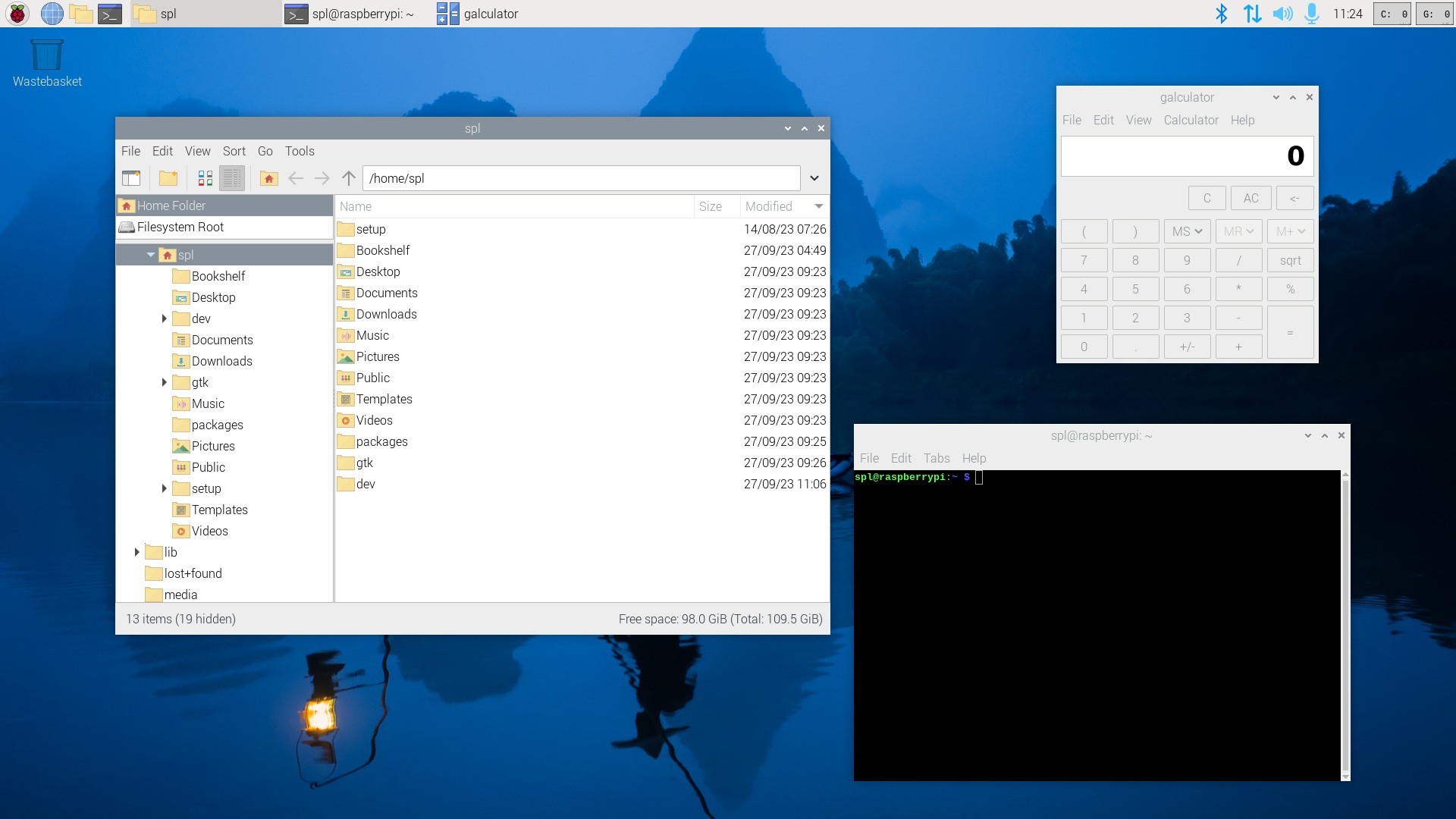
Raspberry Pi can also run a variety of other Linux-based distros like Ubuntu or Armbian.
Install Raspberry Pi OS
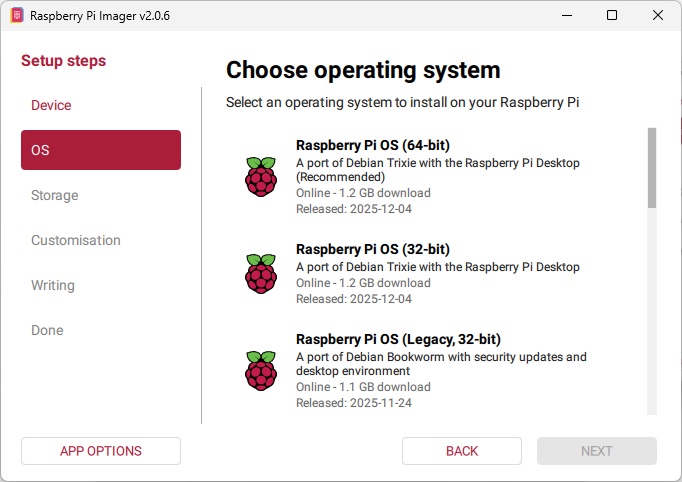
To install Raspberry Pi OS you need a Windows, macOS, or Linux, a microSD card of at least 16 GB and an USB card reader. The software you install on your PC is called Raspberry Pi Imager and it is used to install the OS onto an micro SD card. When the process is complete, you simply transfer the micro SD card to your Pi.
Buy Now
You can get your Raspberry Pi 5 here. The power supply (US plug) is available here. Most of the micro SD card will do, just make sure it’s at least Class 10: buy one here. To install Raspberry Pi OS, you will need an USB card reader.